360 Climate Institutes
Computer Studies
Build practical digital skills for communication, productivity, creativity, and future opportunity. This program equips learners with relevant technology skills for learning, work, entrepreneurship, branding, and responsible participation in a changing world.
From computer packages and internet use to design, AI awareness, coding, videography, photography, and digital innovation, Computer Studies at 360 Climate Institutes helps learners grow in confidence, creativity, collaboration, and practical ability for the modern world.
Program Overview
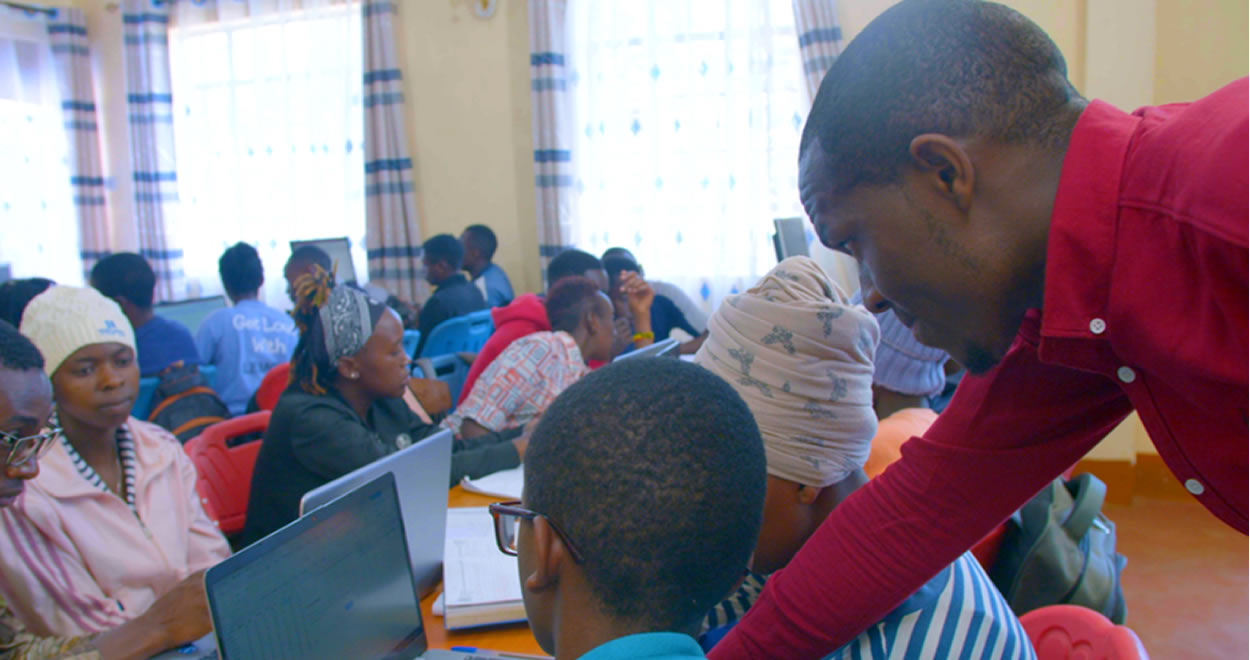
Computer Studies at 360 Climate Institutes is a practical digital skills pathway designed to help learners become confident, creative, and future-ready. The program introduces learners to essential computer use, online communication, digital content, visual branding, technology awareness, and practical tools that can support education, employment, innovation, and enterprise.
It goes beyond basic computer literacy by helping learners apply technology meaningfully in everyday life, modern workspaces, online opportunities, and community transformation.

Week One: Common Foundation for All Learners
Before learners specialize in Computer Studies, they begin with a shared first-week foundation that is common across departments. This helps every learner build confidence, identity, communication ability, innovation mindset, environmental awareness, and practical readiness for growth.
This shared foundation ensures that learners develop not only digital skills, but also self-awareness, communication ability, sustainability awareness, and a wider understanding of how technology can be used responsibly and creatively.
Why Computer Studies Matters
Digital skills are now part of learning, business, communication, employability, creativity, and everyday life. Computer Studies helps learners move from uncertainty to confidence by equipping them with practical tools they can use in school, work, entrepreneurship, branding, and problem solving.
💻 Digital Confidence
Learn to use computers, software, and online tools with confidence and purpose.
🌐 Online Readiness
Develop skills for internet use, communication, visibility, and online opportunities.
🎨 Creativity & Branding
Explore design, storytelling, and personal branding for enterprise and self-expression.
🚀 Innovation & Opportunity
Use technology as a pathway to problem solving, entrepreneurship, and future opportunity.
Courses Offered
The Computer Studies program covers a practical mix of foundational and creative digital areas that prepare learners for modern communication, innovation, and work readiness.

1. Computer Packages & Social Media Skills
Master essential computer skills and learn how to use social media platforms for effective communication, outreach, visibility, and engagement.

2. Online Writing
Develop proficiency in online writing, including content creation, blogging, digital messaging, and copywriting for online audiences.

3. Graphic Design & Branding
Acquire practical skills in graphic design and branding to create visually appealing digital assets for communication, awareness, and marketing.

4. Artificial Intelligence
Explore the fundamentals of artificial intelligence and understand how AI tools are shaping communication, enterprise, agriculture, and environmental management.

5. Coding
Learn introductory coding concepts and languages such as Python, JavaScript, and HTML/CSS for websites, software applications, and digital solutions.

6. Videography
Gain practical exposure to shooting, editing, and production techniques for compelling educational, promotional, and storytelling content.

7. Photography
Develop photography skills in composition, lighting, editing, and visual storytelling to communicate messages effectively through images.
Entry Requirements
Open to motivated learners with interest in computers, digital skills, communication, creativity, and practical technology use. Prior experience is not required. Curiosity, commitment, discipline, and willingness to learn through guided hands-on practice are important.
Duration
The program runs over a structured training period with guided digital sessions, practical computer applications, project-based learning, and real-world skills development. Duration can be aligned with the current departmental schedule and cohort calendar.
Certification
Learners who successfully complete the training and required practical work receive institutional recognition or certification based on attendance, participation, digital project completion, and demonstrated skill growth.
Prepare for the Next Computer Studies Cohort
Our current intake is closed, but you can still take the next step today. Register your interest to join the upcoming cohort, receive programme updates, and connect with the team for guidance on training, requirements, and enrolment preparation.
Benefits & Outcomes
🔥 Master In-Demand Skills
Gain practical proficiency in digital tools, design, communication, coding, AI awareness, and creative media skills.
💼 Launch Your Dream Career
Open doors to pathways in digital support, content creation, graphic design, web development, branding, and other tech-related fields.
🧠 Build Your Tech Confidence
Develop stronger problem-solving, critical thinking, and confidence in using technology creatively and responsibly.
✨ Unleash Creativity & Innovation
Go beyond basic computer use and explore the creative and innovative potential of technology in real-life contexts.
How Learning Happens
Computer Studies is taught through practical, guided, and hands-on learning. Learners are not only introduced to digital tools, but are also given opportunities to apply them through tasks, projects, creativity, communication, and collaboration.
Learner Stories
Testimonials & Stories of Impact
Hear from learners who are building confidence, creativity, and practical digital skills through the Computer Studies program. This section now supports both written and embedded video testimonials directly within the page.
Pathways After Training
Computer Studies can provide a strong foundation for further learning, work readiness, digital support services, entrepreneurship, and innovation-driven growth.
Support This Program
The Computer Studies program grows best when learners have access to digital tools, devices, connectivity, mentorship, project opportunities, and real-world exposure. Partners and supporters can help expand access, strengthen practical learning, and improve the learner experience.
Ready to Build Digital Skills for the Future?
Join the Computer Studies pathway and grow through practical learning, digital creativity, communication, innovation, and technology-driven skill development for school, work, entrepreneurship, and responsible impact.